Hi all,
I’ve built a small Code Studio widget that lists every composite in an application and shows whether caching is on. You don’t have to open each composite in Builder to check. I’m happy to share it with anyone who wants it.
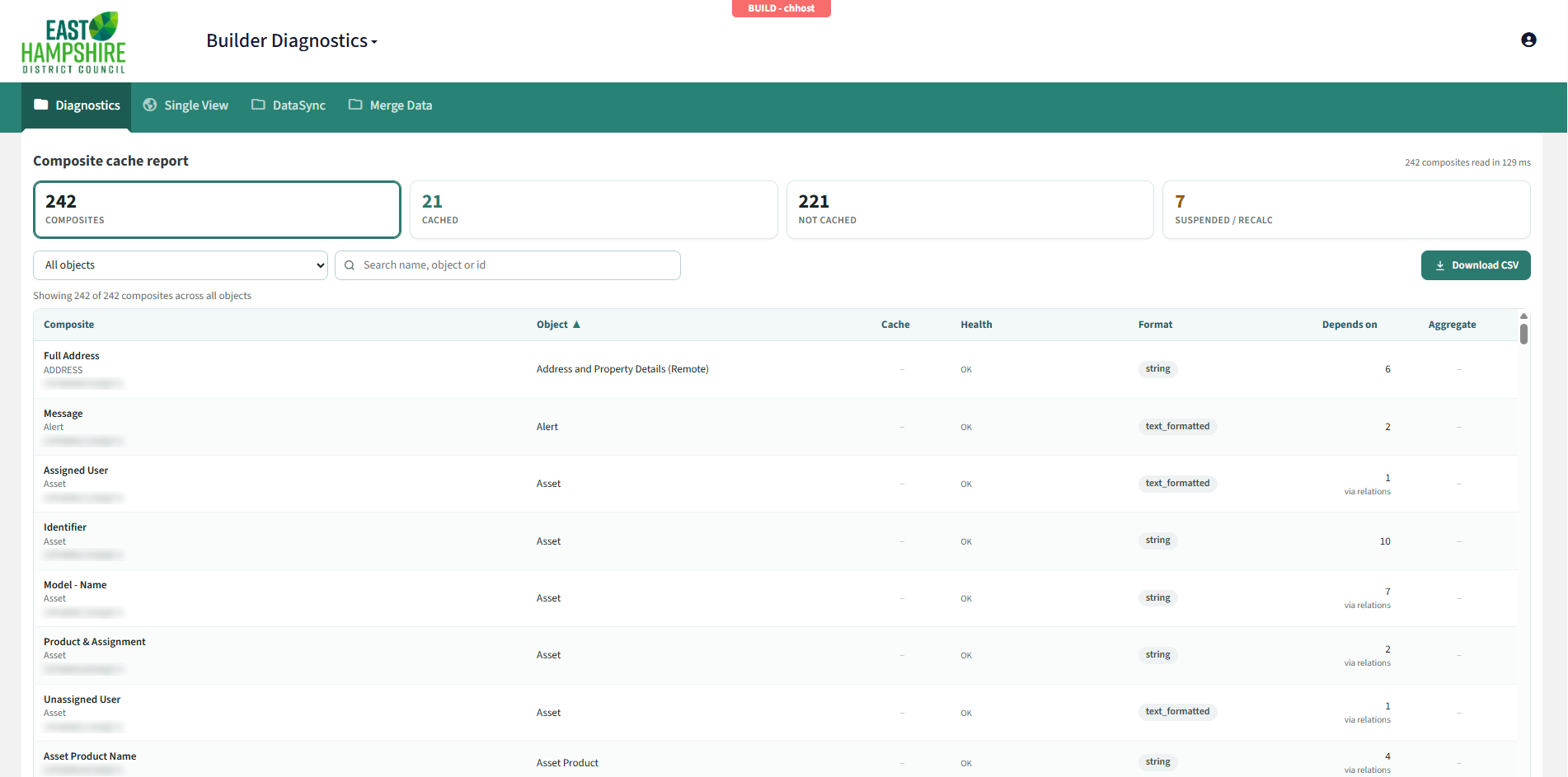
What it does
- Lists every composite with its object, format and caching state
- Flags composites with caching suspended or a recalculation pending
- Shows how many fields each composite depends on, and whether it reads through relationships
- Filter by object, by cached / not cached, or search by name or ID
- Sortable columns and a Download CSV button
- Read-only: it doesn’t change any composite or record
On our build environment it read 242 composites in about 130 milliseconds.
How it works
It uses cs.build_choices(‘composite’) to list the composites and cs.get_component(id) to read each one’s set-up, including $is_cached. Neither call is in the Code Studio documentation as far as I can see, so a future platform update could change them. If anyone from Netcall can confirm whether these are supported, that would be really helpful.
Requirements
- Liberty Create 2025.3 (tested on 2025.3.843)
- Code Studio access to import a component
What you get
- The component export (zip) to import into Code Studio
- A short guide with an annotated screenshot, settings and what each column means
The Files
I would add a download link here but unsure what the link etiquette is on this forum, I have submitted this as a Widget on App Share. In the meantime, if you want a copy you can DM me and I’ll email you a copy of the code and docu.
Put it on a page only builders or admins can see, as it shows how your app is built.
Feedback and ideas welcome. If you find a bug, reply here and I’ll take a look.
Jonathan Fleury-Smith
East Hampshire District Council