I’m looking for some advice on formatting AI-generated output in Liberty Create.
I’m passing a chunk of data into LC and asking the AI to generate a summary. Within the prompt I’ve specified the following formatting requirements:
- Use short paragraphs and bullet points.
- Present key statistics as bullet points rather than large blocks of text.
- Highlight significant spikes, peaks and rankings using bullet points.
- Use actual figures and percentages where available.
- Keep the response concise and suitable for management reporting.
- Do not exceed 500 characters.
The output is being saved to a Text, multi-line formatted, however the AI is still returning everything as one long block of text rather than preserving the bullet point formatting.
Has anyone successfully configured AI-generated responses to retain line breaks, bullet points, or HTML formatting when saved to a formatted multi-line field? Are there any additional prompt instructions or field settings I should be using?
Hi Charlie,
I have found the most reliable method for this is to provide the model with some example outputs.
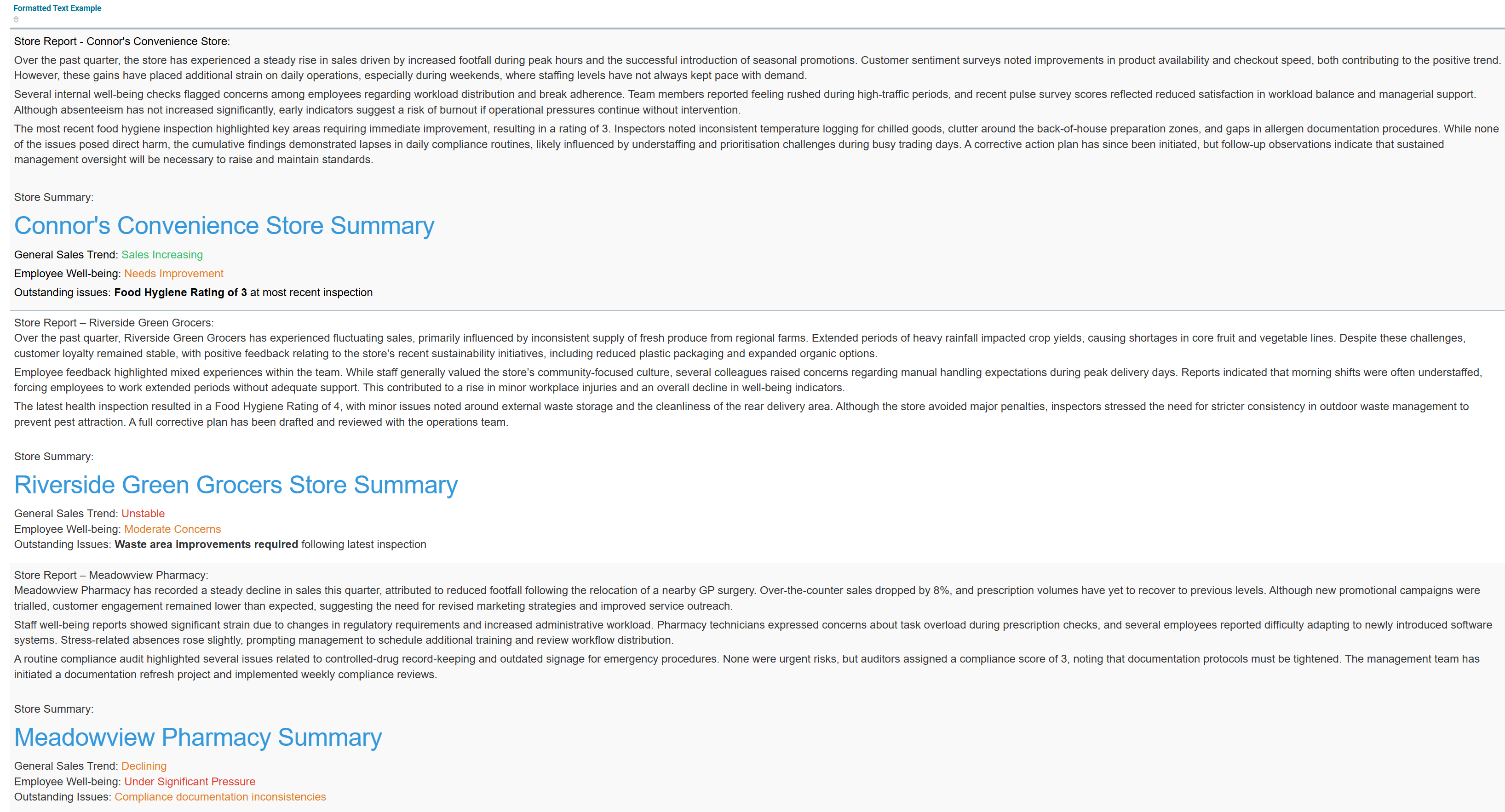
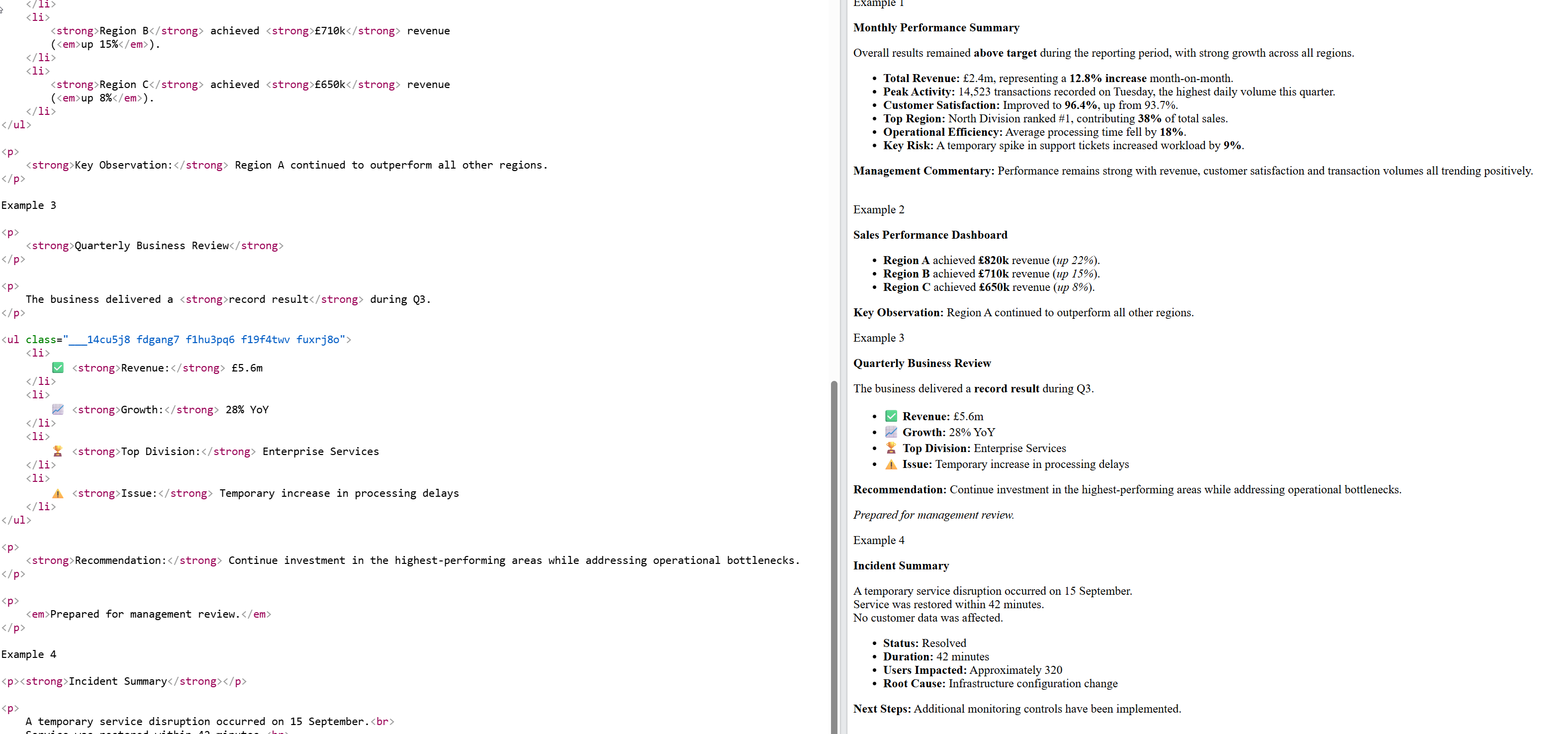
Here you can see three examples as multi-formatted text.
I include the input and the output in these examples but the most impactful element here is providing the formatted example outputs.
In your case you could create various multi-line formatted text fields in the style that you need outputting.
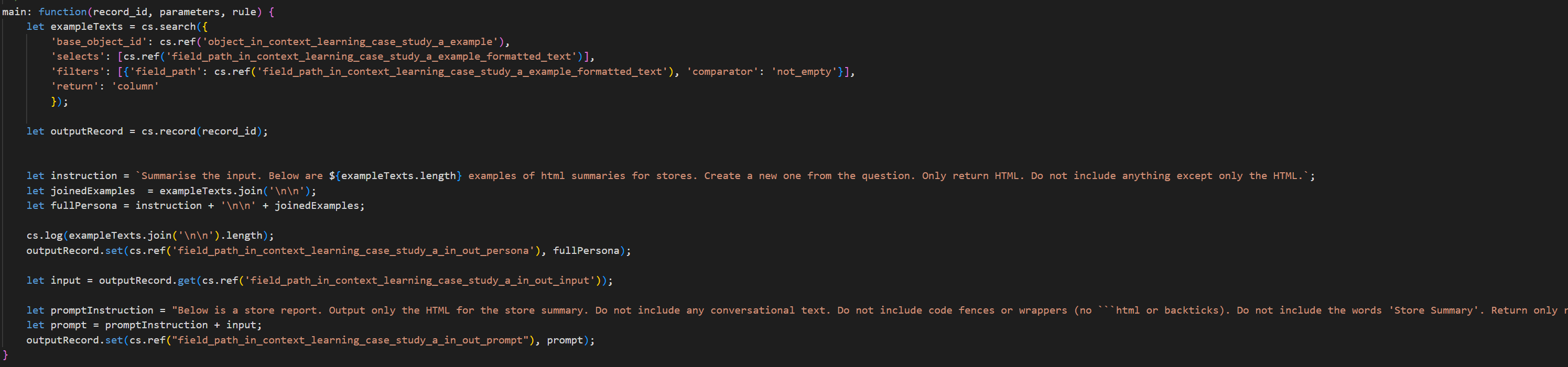
I then use a code studio event action to create the Context/Persona field. This field includes all the examples alongside some instructions.
I am using an Ask Liberty AI step here so I think the context/persona terminology differs slightly, but the method should still work with a summarise rule.
The important idea here is that we give the model persona/context examples of what we want outputting as raw HTML, which comes from the examples when we pull them into code studio.
Some important instructions (Adapt to your use case):
“Summarise the input. Below are ${exampleTexts.length} examples of html summaries for stores. Create a new one from the question. Only return HTML. Do not include anything except only the HTML.”
“Below is a store report. Output only the HTML for the store summary. Do not include any conversational text. Do not include code fences or wrappers (no ```html or backticks). Do not include the words ‘Store Summary’. Return only raw HTML tags. Do not wrap the output in <|html>, <|body>, or similar tags. \n\n”
Note: Please ignore/remove the ‘|’ in <|html> and <|body>. If I do not include this the multi-line text editor present here will hide them.
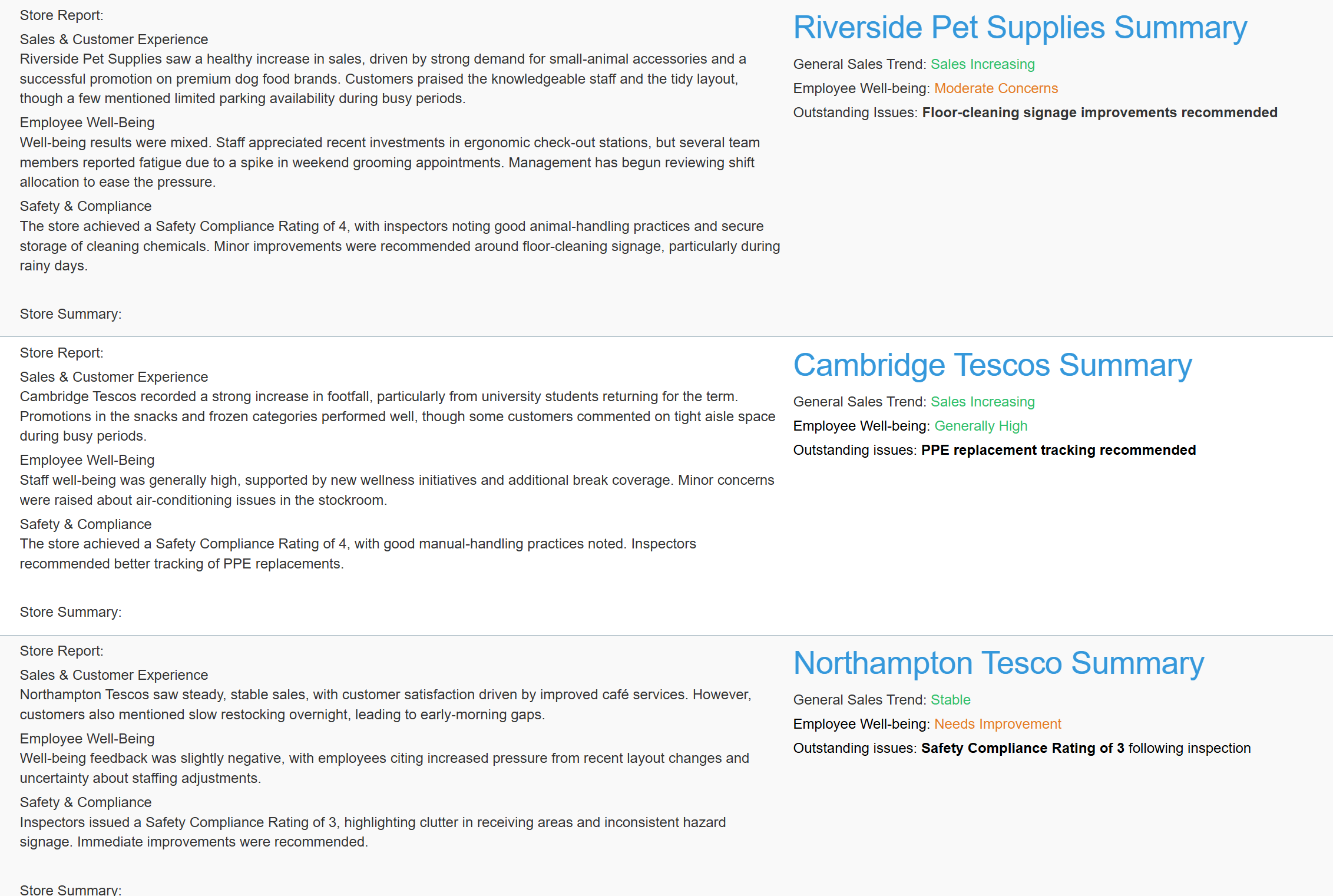
With this method I am able to generate the following. The left column is the input and the right column is the output from the model.
Thanks for the example.
Our implementation is already using the same general approach. We store our instructions, input format and multiple output examples within a Multi Formatted variable which is passed into the AI summary rule.
We’ve verified the context is being read by the model by introducing test markers and seeing them returned in the response.
However, despite providing multiple examples and detailed formatting instructions, the generated response continues to be returned as a single line of text.
Looking at your screenshots, is there anything materially different in the way the examples are being supplied to the model compared to a standard AI Summary Rule?
For example:
- Are the examples being passed as raw HTML rather than plain text?
- Are they being provided through a Context/Persona field rather than directly in the prompt?
- Is there any additional configuration used to improve format adherence?
We’re trying to understand whether there’s a recommended Liberty Create pattern for obtaining consistent structured output beyond the use of examples, as we’re already following that approach.
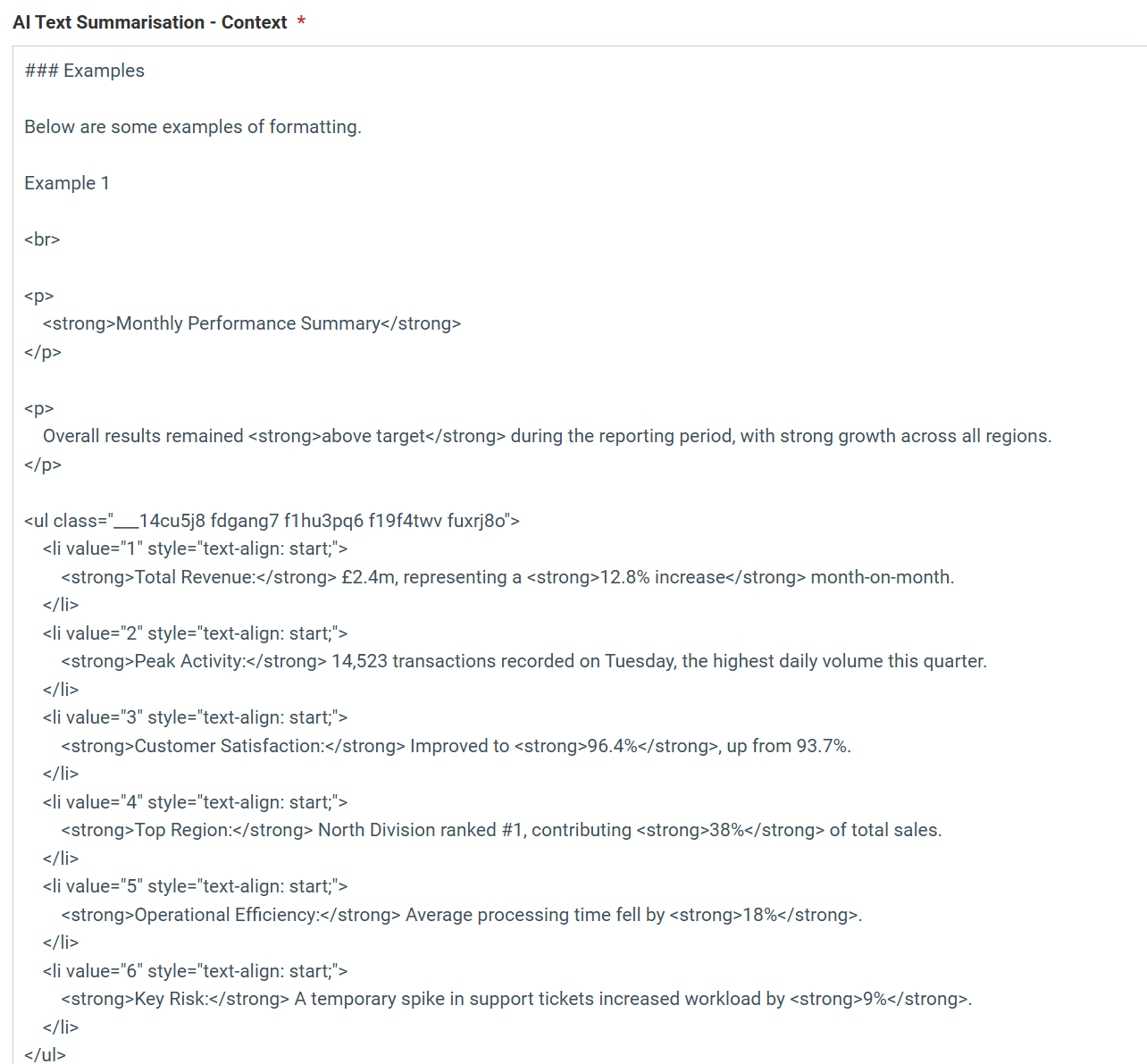
I am adding the examples to the Context in this scenario.
I have just tested the following setup:
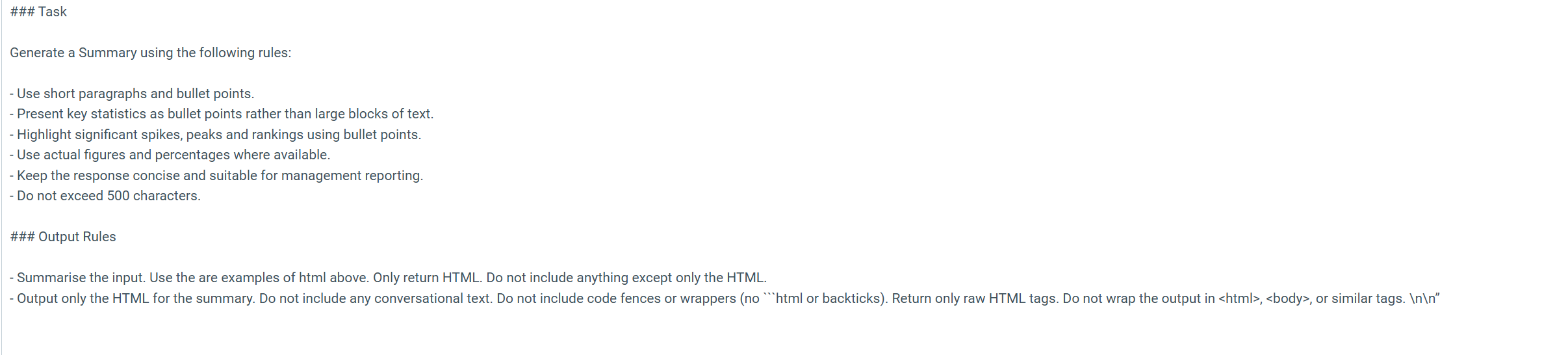
Context:
… all 4 examples are used here …
For reference the examples here in the input look as follows when formatted:
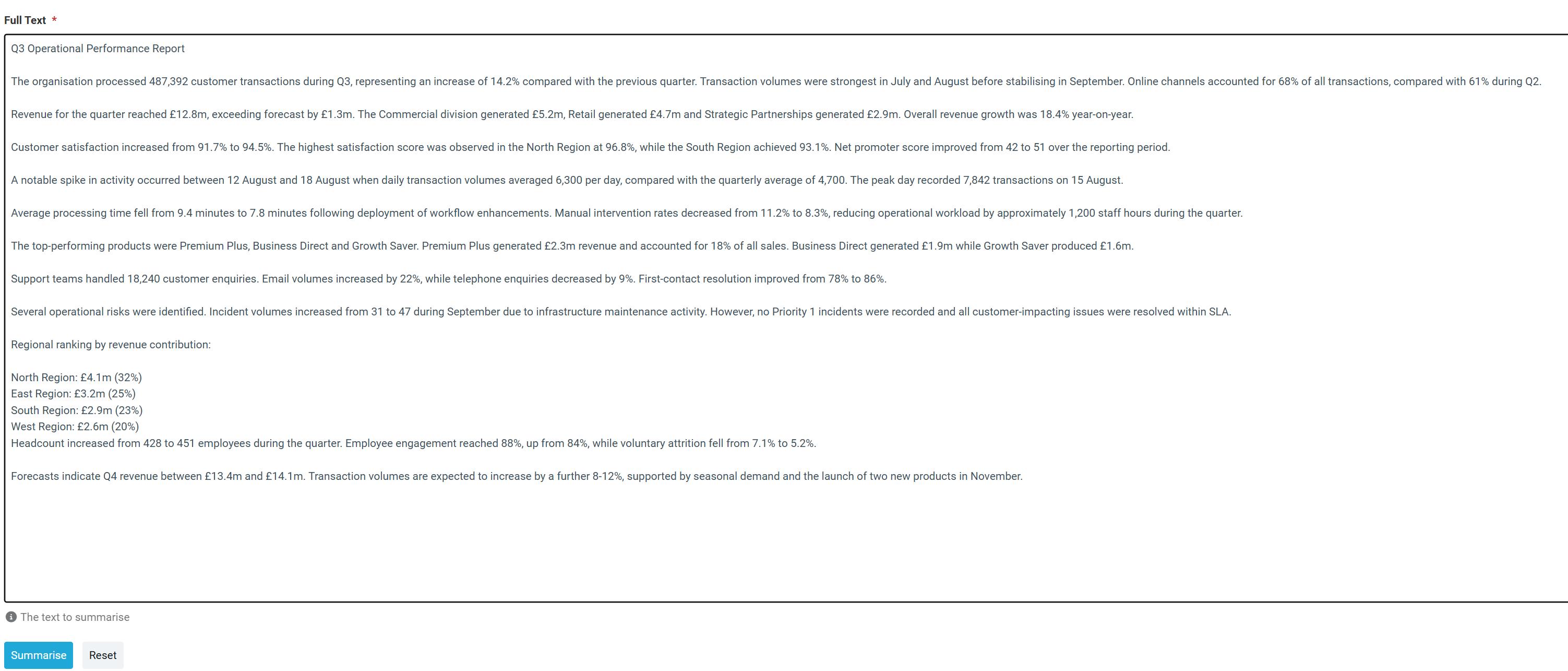
Prompt/Text to Summarise:
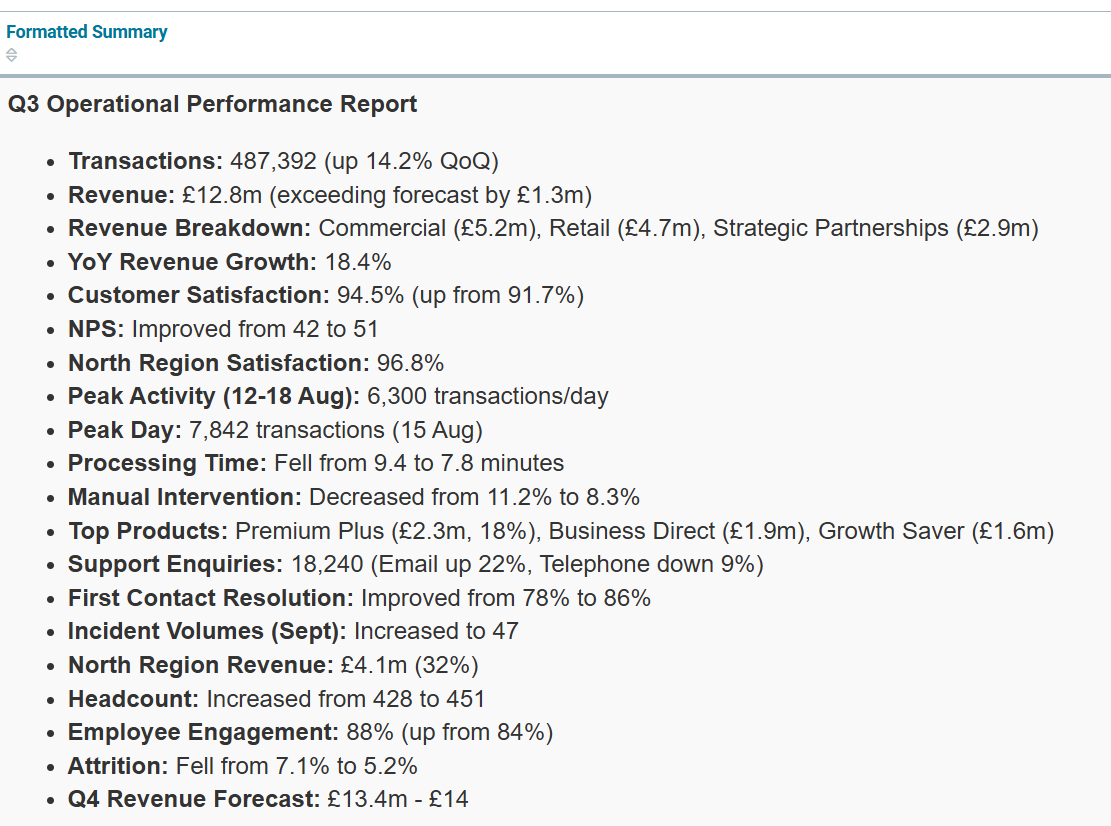
Output:
I think this is what you are after?
So here we have:
-
All examples passed in via the context as raw html. There is potential that feeding the variable straight into the rule as context collapses it down to simple text rather than HTML, this could be worth testing, if this is the case code studio could be used to create the context text.
-
The summarisation rules’ output is saved directly to a multi-line formatted text property
-
The following output rules are also used in the context
- Summarise the input. Use the are examples of html above. Only return HTML. Do not include anything except only the HTML.
- Output only the HTML for the summary. Do not include any conversational text. Do not include code fences or wrappers (no ```html or backticks). Return only raw HTML tags. Do not wrap the output in <|html>, <|body>,or similar tags. \n\n”
- (Again note that ‘|’ should be removed from <|html> and <|body> )
Hi,
It’s finally working. The root cause appears to have been the context being passed through a variable. After switching to a Multi Line Formatted Text field, the formatting was preserved and the AI now consistently returns the expected HTML structure with headings, paragraphs and bullet points.