Hi all,
I’ve just submitted a small Code Studio widget to App Share that lets users make any Liberty Create popup full screen.
We have a lot of busy popups (task wizards, view / edit forms, case details) that feel cramped at the standard dialog size, so this gives users a one-click way to get the whole window when they need it - per popup, without changing the page or the popup button.
What it does
- Drop it anywhere on a page that opens as a popup.
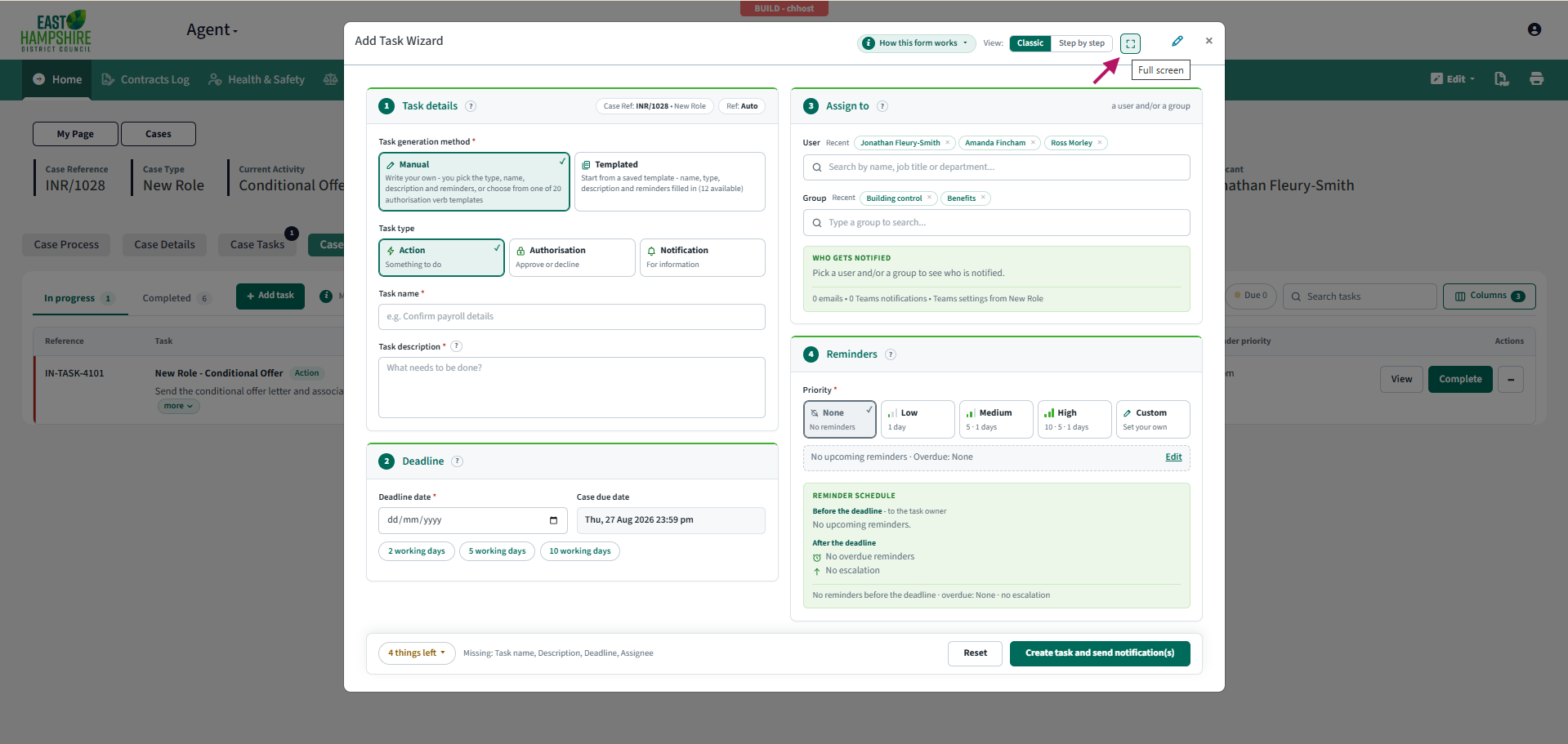
- A small full screen icon appears in the popup’s title bar, beside the pencil / X.
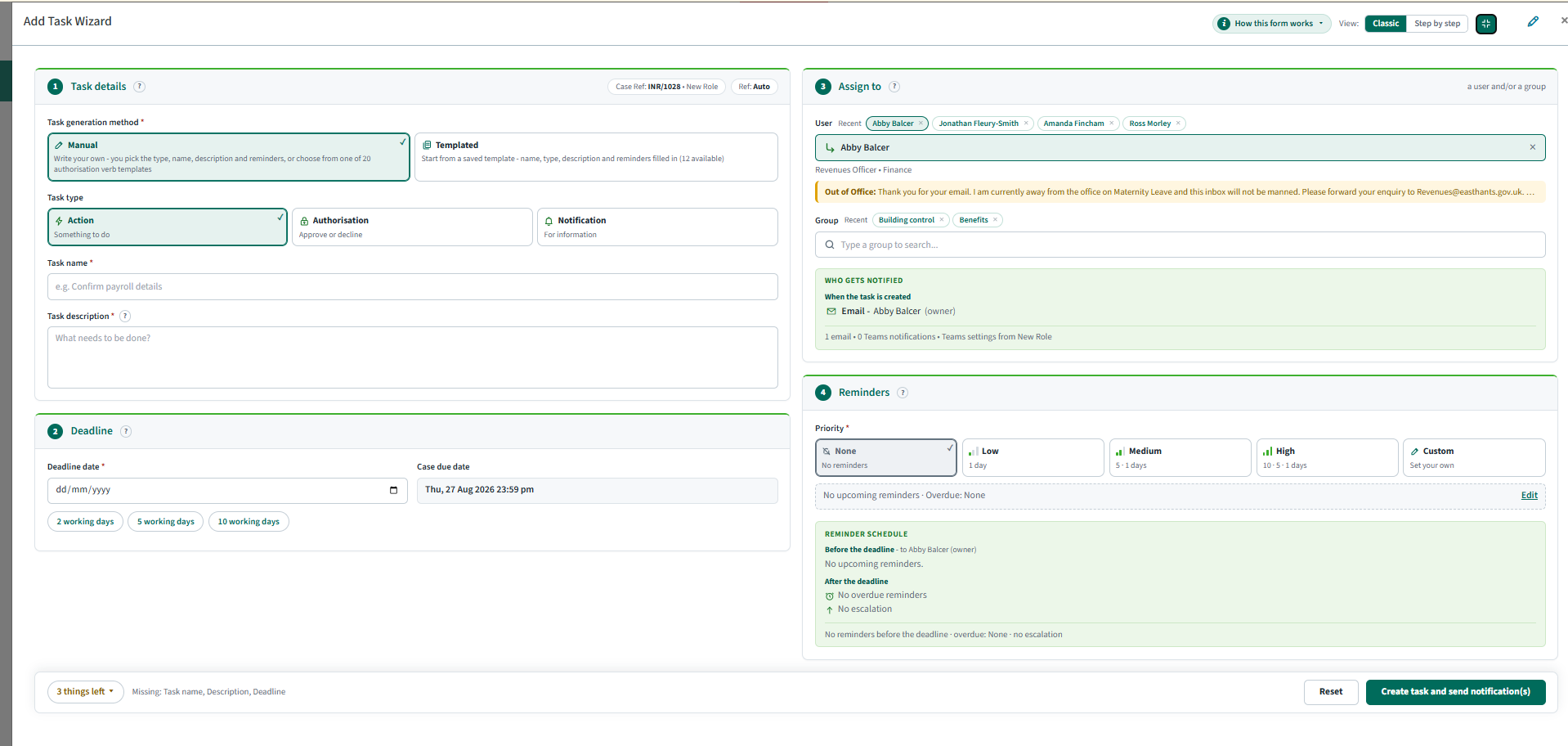
- Click it and the popup fills the window; click again to go back.
- It stays full screen until the popup is closed (X, Esc, clicking outside, or the page closing it after a save), and opens at normal size next time.
- On a normal page, or inside Teams / another frame, nothing is shown.
Settings
- Where the button goes - the popup title bar (default) or where the widget sits on the page
- Button - icon only, or icon + “Full screen”
- Open full screen - start every popup full screen (default No)
Good to know
- No fields, relationships or references to set up - it reads no record data, so it works on any object.
- Works with Bootstrap modals (3, 4 and 5) and jQuery UI dialogs.
- Includes a Widget settings check in Build Studio.
- If a page is loaded in a frame inside the popup, the button stays where the widget is placed rather than moving to the title bar (full screen still works).
See screenshot showing popup in the title bar
See screenshot showing popup full screen
Feedback and suggestions welcome.
Regards
Jonathan Fleury-Smith
East Hampshire District Council
