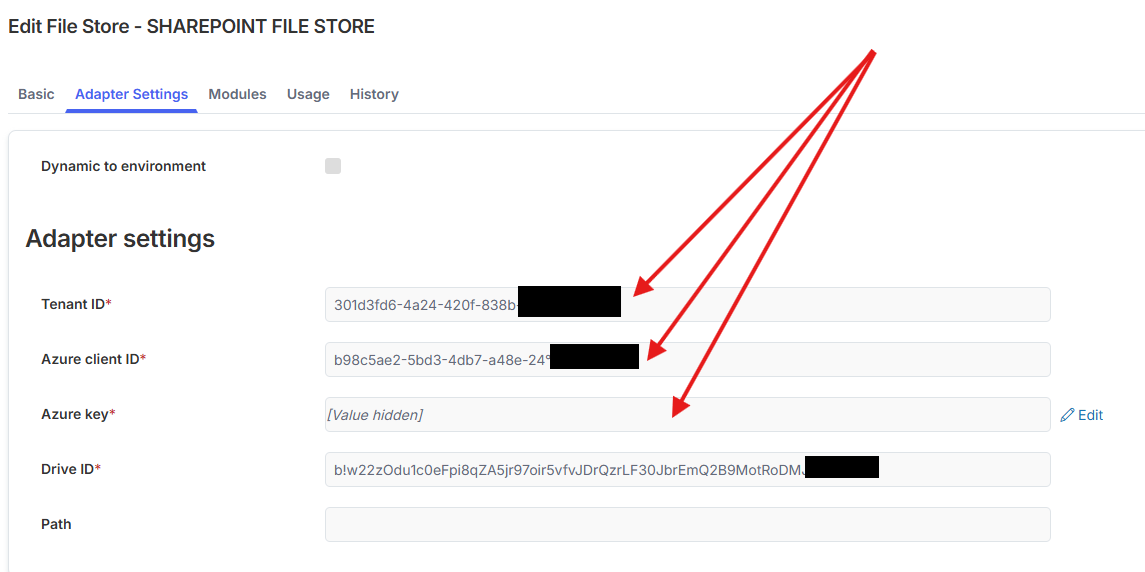
Does anyone have any additional setup/guide/information regarding the use of File Stores in Netcall.
I have used various API calls with our Azure communication service to interact with MS Graph and that all works (calendars, teams, uploading to sharepoint), but when I attempt to setup a File Store using the same access values.
Tenant ID
Azure client ID
Azure key
Drive ID
I simply get a Connection not working message when hitting “Test Connection”, its hard to know whats wrong with such a generic error message.
I’m fairly certain I am passing all the correct values into setup.
Does anyone know what privileges the azure comm service requires to utilise File Stores.
Did you enter a path? The path help text suggests its the full URL when it isn’t. Try no path initially and see if that works. A test .txt file should appear in the recycle bin of the SharePoint site.
If it works with no path simplify the path to whatever comes after the Drive ID you’ve specified. e.g. If the drive ID is for the “Shared Documents” library and you have a folder under there called PDFs the path would just be PDFs.
The problem I’m now having is that even with a file store setup, with the connection test working, the files aren’t moving to SharePoint at all. This includes new files added to an object with file store set and existing files which according to the docs should move on running batch jobs.
Some documentation, provided by Netcall, for setting up the SharePoint site and Azure app registration would be really helpful. If the guide explained what needed to be setup and where to take each of the 4 values for the file store from that would help rule out a configuration issue.
When I had any of those values incorrect, in the detective say “incorrect azure key” for example.
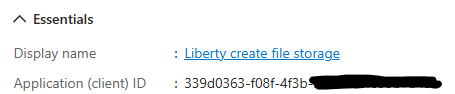
My first thoughts were that Azure client ID and Azure key would be the value and secret from “certificate and secrets”, but the azure client ID was the actually the application ID from the App registration.
And the Azure key the value from certificates and secrets.
I think some documentation from Netcall rather than guess work is much needed.
Hi, did you get this all set up and working using SharePoint as the file store? We’re looking to implement this so I was just seeing how its gone for other customers and how you’re finding the solution.
Hi Chris, no we not use SharePoint as a filestore using Netcall; I am still keen to know why our original setup didnt work? firewall, config as we would like to minimise our disk usage in Netcall; when we are storing documents, video which can be large files.
However I did build a liberty create service to wrap around some MS Graph API’s to upload files, add/change/delete permissions which works fantastically well for wrapping a liberty create process around the document management facilities of SharePoint.
If you have an azure communication service already setup, It’s just a few MS Graph API calls to do all the heavy lifting (DM me if you’d like some help/documentation on setup).
Thanks Jonathan, that’s really useful context, I appreciate you sharing it.
It sounds quite similar to something we’ve been exploring internally, but I may still take you up on that offer as it’s always helpful to compare approaches.
At the moment I’m just trying to find any other Netcall customers that are using SharePoint as their primary file store.
So can I ask if anyone has managed to get FileStore working with MS SharePoint in Netcall, as I done lots of work with Azure Communication Services, but unable to get this basic integration working, when I test the connection all I get is this error.
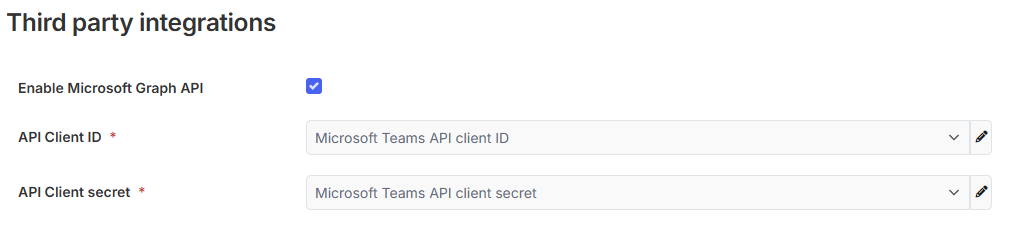
The problem I’m having using Azure Communication Service from Netcall is all I can do is pass these values, and then Netcall uses these value to get an auth token for subsequent calls, this
Tenant ID
Microsoft API client ID
Microsoft Teams API client secret
I am doing lots of work using MS Graph API calls directly and they are all working using the same details above.
The next stage to the “test connection” process is Creating a txt file at the location, this appears to be failing at the access part.
I did have a similar issue with an access token, maybe some extra spacing at the end of the key? could you try another one and check no extra characters or spacing is introduced.
The tenant id and azure client id look the correct format, but your drive ID looks a lot longer than the one I am using, could be right still.