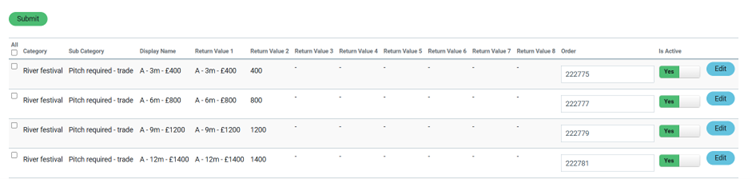
I have created a data dictionary with a number of rows e.g
River festival Pitch required - trade A - 3m - £400 A - 3m - £400 222775
River festival Pitch required - trade A - 12m - £1400 A - 12m - £1400 222781
In the data dictionary they are in this order.
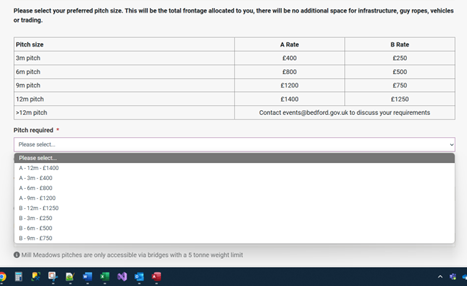
I have added a drop down field on a page which uses the rows. They show but not in the order entered or the ‘order by’ order. Instead the drop down is in alphabetic order e.g A - 12m is above A - 3m.
Is this by design? I would expect the order to use the ‘order by’ field in the data dictionary. Can you change the order of the rows displayed in the drop down field on the page.
Thanks
In the page builder settings for the relation dropdown itself you should find it’s own “Order by” and “Order direction” settings.
Bob
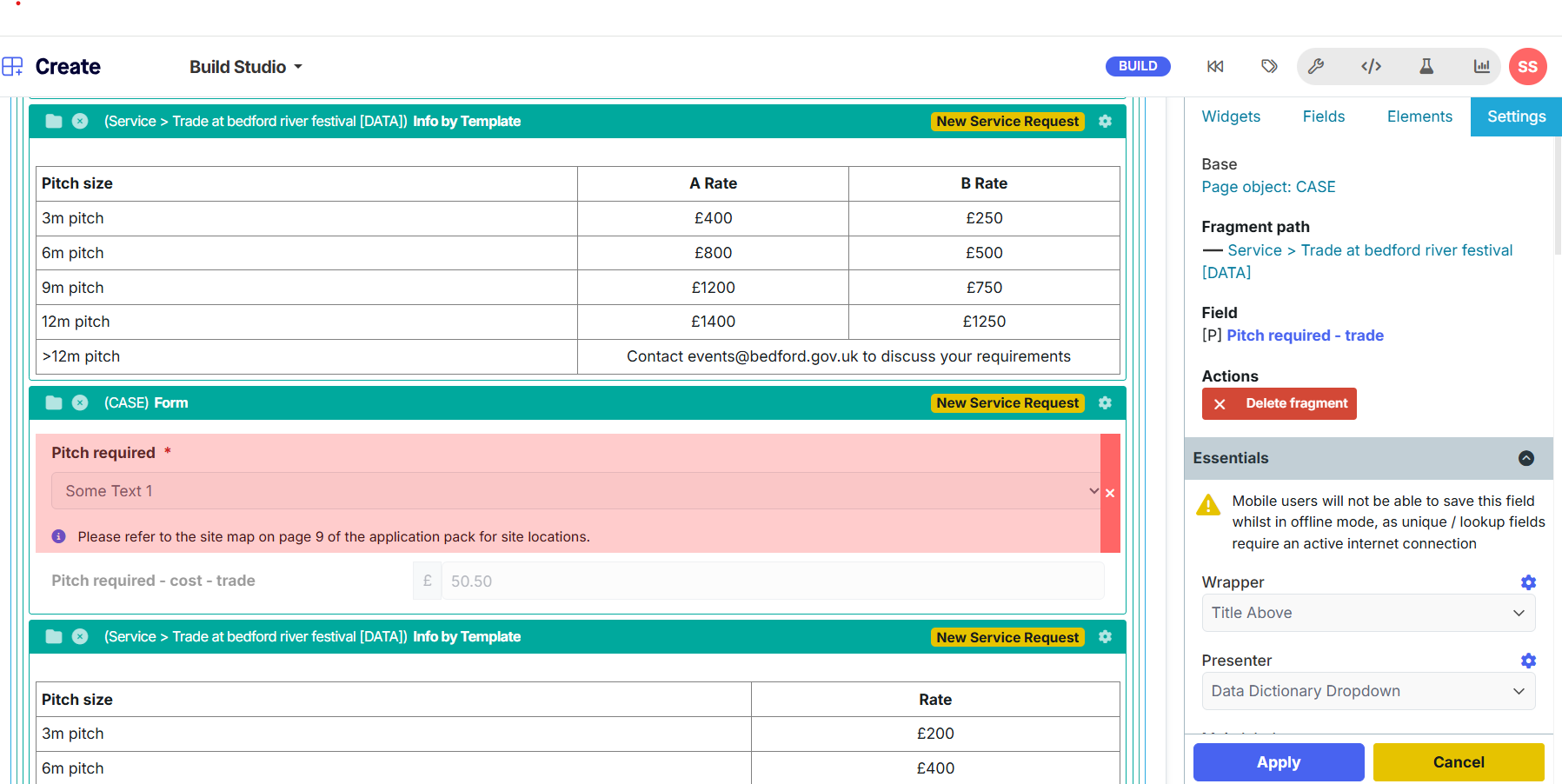
Sorry but i cannot find the order by or order by direction for the field. It is no a relation selector but a text field using the data dictionary dropdown presenter. see attached.
Thanks
Ah, I’m guessing “Data Dictionary Dropdown” is a custom Code Studio Presenter, as I don’t reocgnise it?
I assumed you were using the standard input relation dropdown, which does have these options. But if you’re using something custom then it would be up to that presenter to support any order by option, which presumably it doesn’t currently.
Thanks for that.
It is a presenter but was not created by us. I will ask the next time we have a meeting with Netcall about how to do this.
Did you get an answer from Netcall on this - having the same issue!
Netcall did say that the latest version of the data dictionary dropdown (i think it was version 2.0.5) did this but we could not get it to work on our system.
Instead i had to create a new code studio presenter by copying the current data dictionary dropdown and adding a new setting of ‘Order by’ to it. This then orders the data dictionary in the order entered, alphabetically or by the order attribute in the data dictionary itself.
1 Like