Docs Portal Chatbot (Beta) Is Now Live!
Hi Everyone,
We’ve launched our new Docs Portal Chatbot on docs.netcall.com - giving customers a faster, more natural way to explore our documentation. Instead of browsing pages, you can now ask questions directly and get instant, conversational answers powered by our most capable model. This is a big step in improving self‑service and making our product knowledge more accessible.
 What This Means
Conversational access to technical documentation.
Easier, faster customer self‑unblocking.
Insight into real customer questions.
Strong foundation for future support automation.
The chatbot always works from the latest documentation thanks to our automated update pipeline.
 Why It’s in Beta
Our documentation is broad and technical, so the beta helps us fine‑tune accuracy and behaviour using real customer interactions. The core experience is strong - now we’re refining.
 What’s Coming Next
Ability to raise tickets directly from the chatbot.
Improved Markdown formatting.
Access to multiple documentation versions.
To use this functionality just go to the Docs Portal and click on the Bot Icon located in the bottom right hand corner of the screen. We’re excited to bring you this new functionality. We hope you enjoy using it. Please feel free to provide any feedback you might have, positive or otherwise, via the Netcall Community Forum.
Many Thanks to our fantastic AI Team, lead by Chris Martin, for delivering this great piece of new functionality!
Best Regards,
Mark Pearson - AppShare Manager
1 Like
Many Thank, just found my first answer.
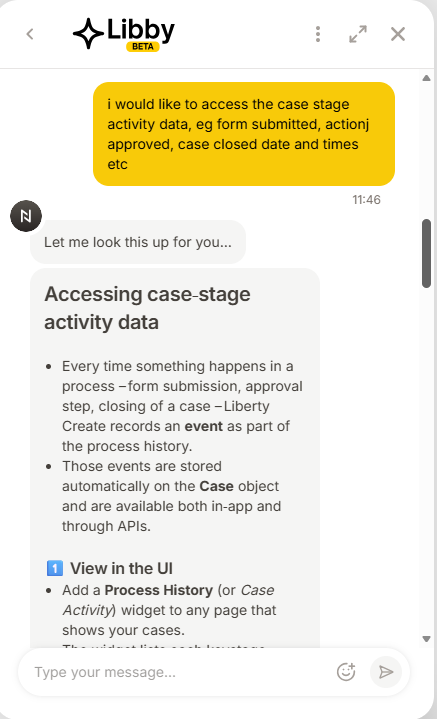
I asked Libby “I would like to access the case stage activity data, eg form submitted, action approved, case closed date and times etc”
And I got my answer, now on my way building some API calls to get this data.
 Export / query programmatically
`GET /api/cases/{caseId}/history`
This returns all recorded events for that case including dates/times.
- If you need only specific fields (e.g., closed date), filter on `eventType` or `timestamp`.
Great work Netcall
Thanks, JonathanFS
1 Like
It being available via API is very interesting. Thanks for sharing.
1 Like
From what Create version will the /api/cases/{caseid}/history endpoint be available?
..just tried it on 25.3, and get an error 404 returned
1 Like
Yeah same… 404
2025.3 You’re on the latest version.
Hi, I’m new on Netcall. What would you use this data for? Reporting?
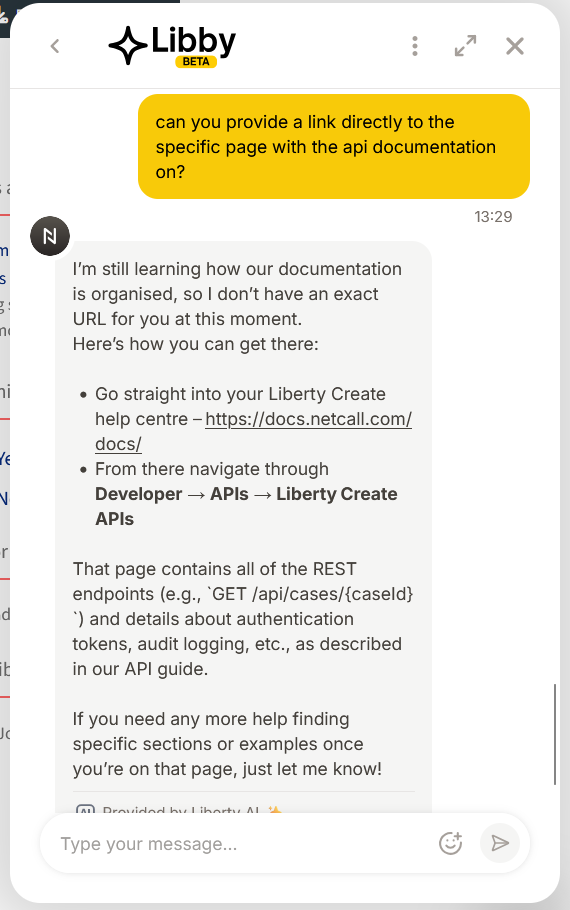
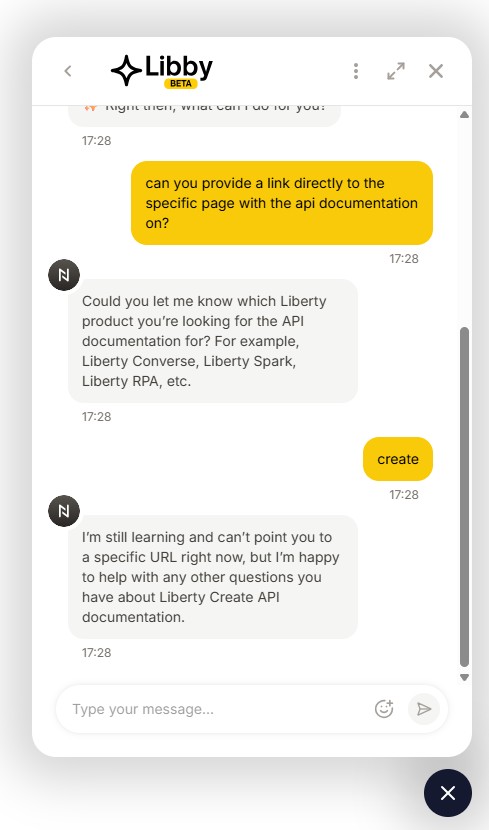
If you ask the bot what page of the documentation covers this it tells you a page that isn’t generally accessible. Might be an incomplete or deprecated feature?
Hi Everyone,
I wanted to share a quick update on this thread.
After looking into the scenario, it appears that Libby provided some information that was slightly misleading. Libby is very new to Netcall and is still learning, as all AI systems do. When we launched it, we highlighted that it was being released in Beta, so a few early teething issues were naturally expected. We’ve investigated this particular blip and have already put measures in place to help prevent it happening again.
We also have some exciting enhancements planned on our AI roadmap that will further strengthen Libby’s ability to interpret content and better understand the structure of the Docs portal. These improvements should make interactions even more accurate moving forward.
For now we’ve issued Libby new instructions.
Thank you for your patience and understanding.
Best Regards,
Mark Pearson - AppShare Manager
There are no built-in API endpoints like this sorry. All API endpoints must be designed by a builder, who configures what content they want to be returned and manages authentication and permissions etc.
It is not currently possible to include record event history in APIs. But I am aware in many app solutions that custom event tracking has been built (i.e. creating event records when key things happen on a case), and in those cases that record data can be used in APIs.