We noticed that some really old cases has not auto abandoned..? So I spent some time looking at how it is currently performed.
The setup has a signal that triggers a rule which fires a CS event action all named
Find and Mark Orphaned Cases as Abandoned
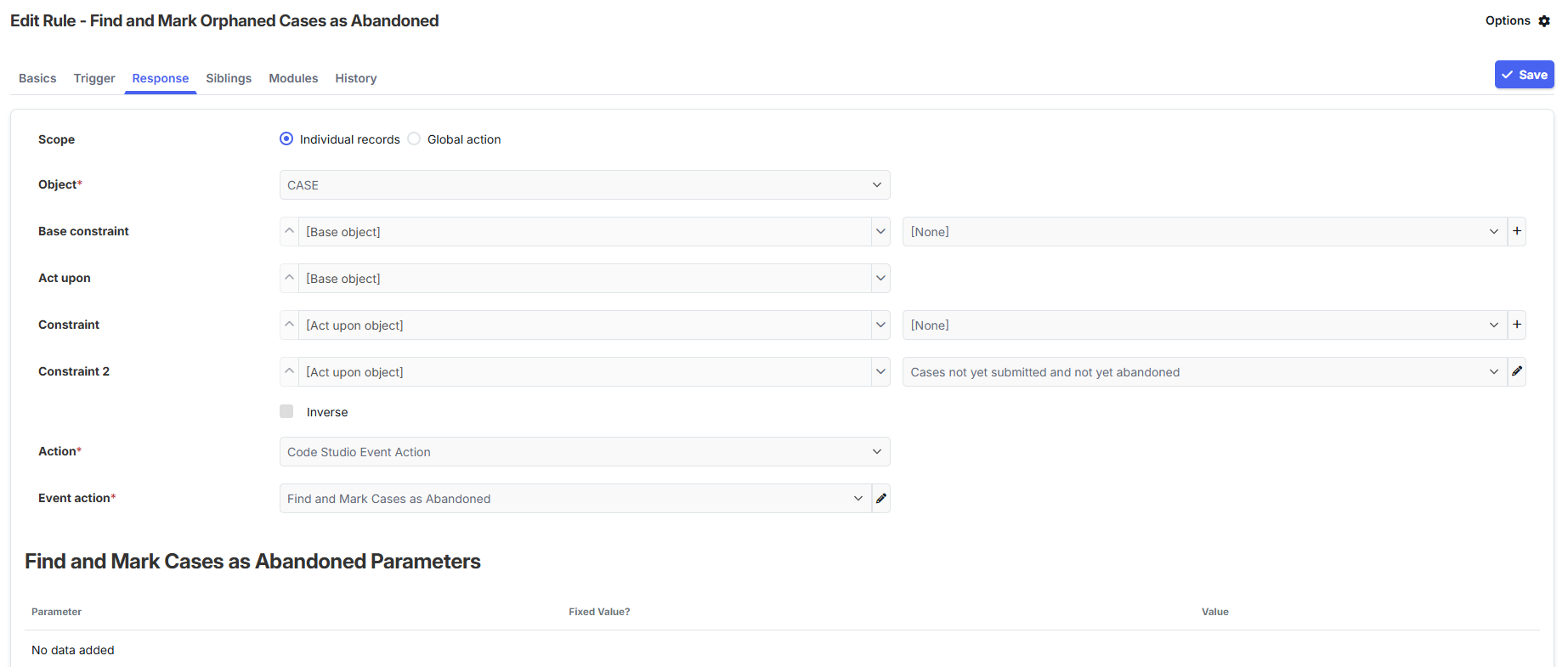
When investigating the setup to auto abandon cases, I noted that when I trigger the signal is ran once for every case, but the code itself seems to handle all the abandoned cases in one go.
So this is how the Rule Response is configured for all hosts.
I tested the setup for Rule Response using a global action, as shown below, it fires the code studio event once - which means it will iterate through any cases that need to be abandoned and do so once.
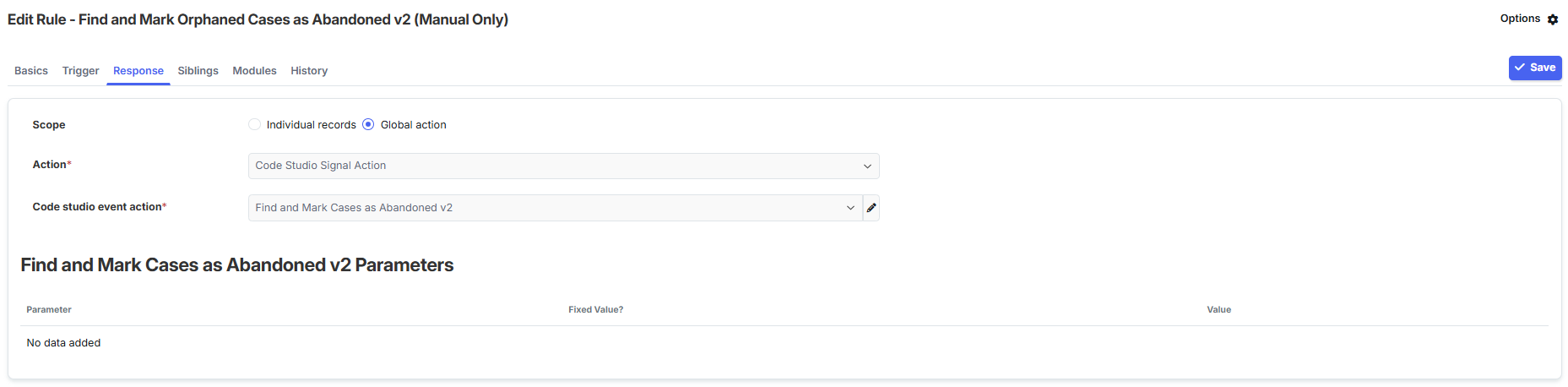
Q. Is this new setup shown above correct, as I will need to update all hosts.
Also, I note that most cases do auto-abandon, just not all, and still trying to figure out why, If I find anything out I will post here.
Thanks
JonathanFS