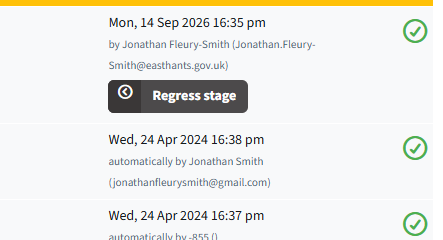
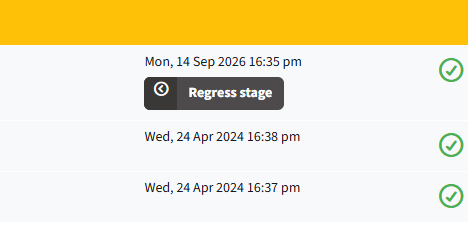
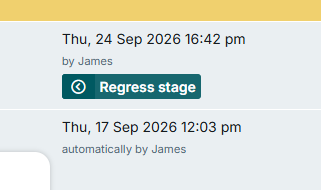
Our organization is using a single sign-on for our LC application, which doesn’t allow us to change usernames, and the auto-generated usernames are meaningless and unfavourable. However, the username of the user who created a case is automatically shown on the Case Stage List and Case Stage List & Advance widgets. Is there a way to remove or otherwise edit the username shown there?
There’s an option at the bottom of the settings for the list & advance widget to set the “user field” that I believe lets you set what field it uses for the displayed user on a stage.
Have you pre-loaded/pre-created your users or are they created on SSO login?
They are created on SSO login, and we map our SSO default name ID to the username as it’s the only unique field. Unfortunately, even when the user field in the widget is changed, the username still shows up in a bracket beside whatever we chose.
Hey, sorry just chiming in here – we still need to keep some form of identification of the actioning user. So ideally, it would just be ‘by [email]’, excluding the username in parentheses. This is all in a single element rather than a table cell, so the proposed CSS solution wouldn’t work for us.
We’ve already changed the user field to email address but, as Thwin said, this still shows the username in parentheses. This fundamentally seems like an oversight on Netcall’s part.
Been following along on this in the background. It seems like everyone has slightly different needs on this but fundamentally identifies a need for the feature to be matured.
It would be great to get something on our Ideas portal for consideration for future enhancement detailing the current challenges and ideal to be state.
You can use some javascript to remove any content in brackets in the element and then select what data you want the case stage list and advance widget to show by setting the user field in its settings as normal.
Then call the function from the MutationObserver that watches the body:
			let SELF = this;
			let bodyList = document.querySelector("body") ,observer = new MutationObserver(function(mutations) {
				mutations.forEach(function(mutation) {
					SELF.hideCaseProcessingEmails();
...
You may want to be more specific with the class being targeted (small.text-muted) in case its used elsewhere to avoid it hiding anything in brackets there too.
That could definitely work, but I’m not sure how I feel about adding a mutation observer in header.vue to look for something that’s not in the header and won’t necessarily be on every page that the header appears on. Regardless, thank you for your suggestion; having the long SSO username isn’t a dealbreaker for us, it’s just a bit annoying, but it’s good to know there are possible avenues to solve this.