Hi there,
I seem to be having an issue with sending an email after the submission of a form. The email is captured as a field in the form.
When I submit the form, I would like an email to be sent to the email address that is specified in this field. The email field is held as a column in the General Type Data object.
NB I know the email address has been captured as I can send the email manually via the Message Object after I have submitted the case; also, the correct template is chosen.
Thank you
Jacqueline
Have you created a Message and Recipient with the same base object as the form and set up a rule to send the message when the form is submitted?
You’ve set the recipient to be unrelated so it’s not linking back to the email address on the case. It needs to be set to related with the same base object as the message. Easiest way to do it is to create the message then go to the recipient tab and add the new recipient from there. It should default to the correct object.
1 Like
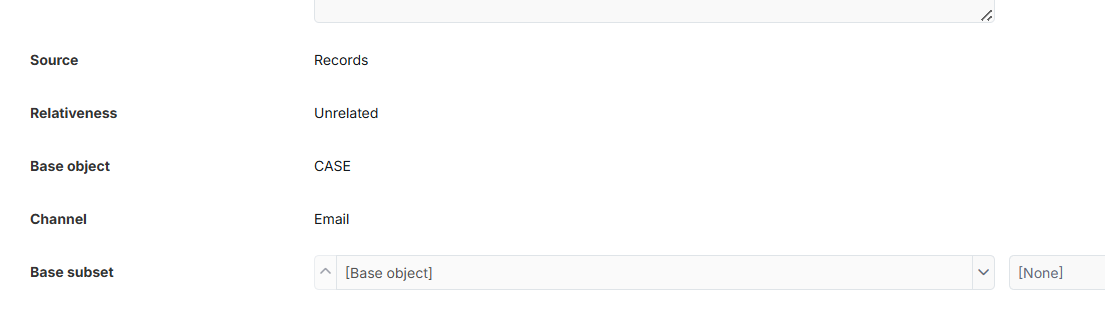
I’ve used unrelated - based on the Netcall documentation (screenshot below) - as the person that the email will be sent to will be an external contact.

The email address is a property in the CASE object and that property is exposed on the form for the user to fill in.
Hi Jacqueline,
In Liberty Create, an Unrelated Recipient isn’t tied to the specific case that triggered the email. This means the system evaluates all case records and can send the email to every case contact, not just the intended one.
Example:
If one case is updated and there are 1,000 cases in the system, an unrelated recipient could result in the email being sent to all 1,000 case contacts.
A Related Recipient is scoped to the individual case, so the email is sent only to recipients linked to that specific case, which is the expected and safe behaviour.
Carl
Thank you Carl. So should I set it to related?
The setup is I have a form field on a form e.g. Email address of hospital. When this email of the address of the hospital is filled in with all the other data entry fields and the form has been submitted, I want an email to be sent to that email address advising that a submission has been made.
The email address of hospital is potentially different for each submission. The form submissions will be done by either a hospital or a coroner that do not have a related record in the system.
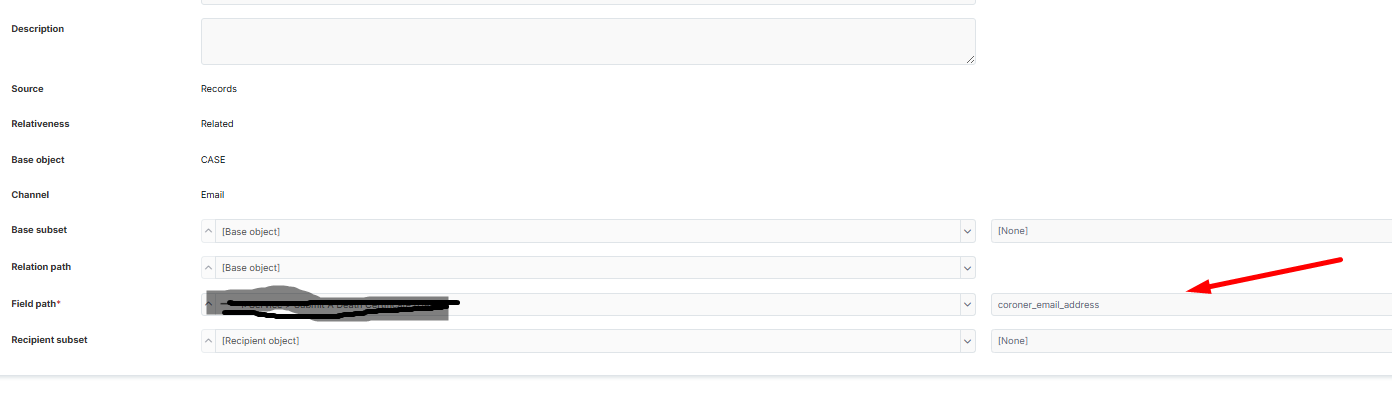
Okay. I’ve reverted back to what it was previously. You can see that I have added the form field that captures the email address.
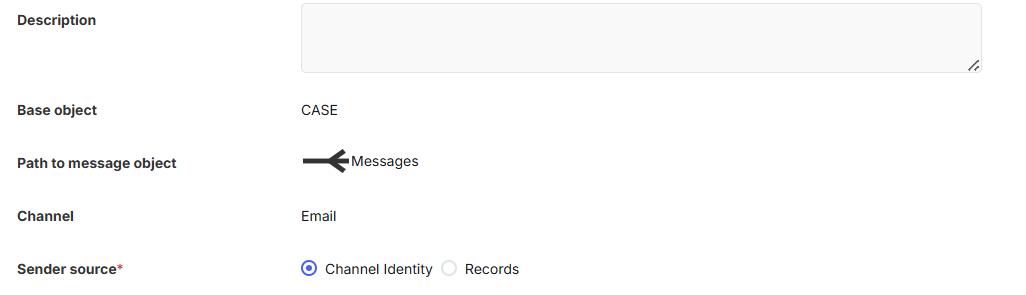
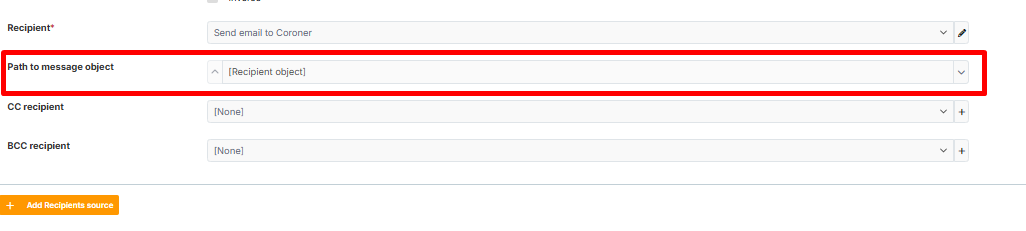
Do I need to populate the path to message object?
Regards
Jackie
Hi Jacqueline,
Yes, sounds like your email will be based at your form submission, i will use the term case for simplicity.
Your case record will have an email address property storing who the intended recipient will be.
Your recipient will then be a related type, based again at case and using the email address property.
This will achieve that on submission, email will send to that one specific email address. Unrelated would have been a “data breach” sending the email to every recipient on every case.
You do not need to use the “Path to message object” setting. This setting works in an unrelated scenario by creating a relationship to your message in retrospect. This will not be needed here as your message will already be related to your case.
Carl
Thank you, Carl,
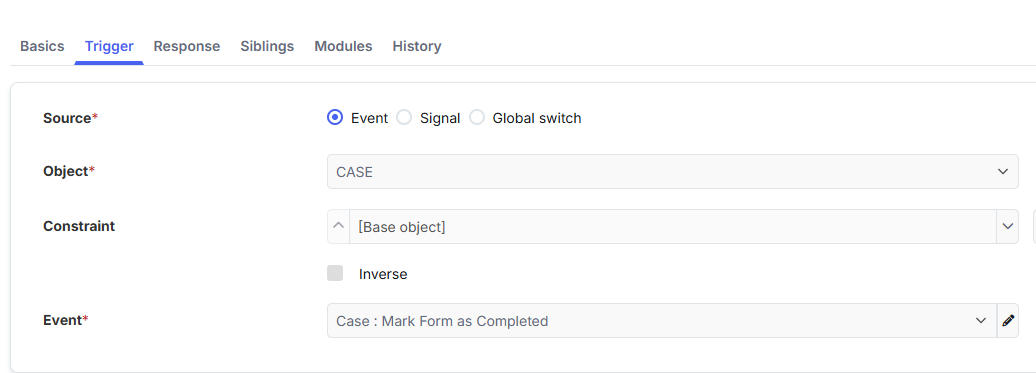
I have this set up. Do I need to trigger the firing of the email from the button on the form?
Thank you.
Hi Jacqueline,
Triggers could be from a number of places. If you have a process a sensible approach is to trigger from Case Started or on a stage completed if you wish to delay the comms until later.
As a general practice I typically recommend triggering a dedicated event from a system event like this as it means its easier to manage or move in the future.
Carl